Get Object Vector

Overview[edit]
As an object is being sampled, the Get Object Vector node can return a 3D vector containing the item’s position, size or direction information. This information can be used in shaders applied to the object.
For example, the colour of an instanced object could be modified based on its size, by selecting “Scale factor (if instanced)” from the node’s Choice setting and connecting the node’s output to the “Colour function” parameter of a Default shader node.

Settings:
- Name: This setting allows you to apply a descriptive name to the node, which can be helpful when using multiple Get Object Vector nodes in a project.
- Enable: When checked, the node is active, and when unchecked the node is ignored.
- Choice: This popup has 8 options which allow you to choose the type of data output by the node as a vector. The data is output in world space coordinates and based on the object’s position, size or direction. The first three options are concerned with the object’s position, and each option progresses deeper into the object hierarchy to return more precise positional information.
- This may be a position on the object or terrain to which the instance is anchored, or a point in free-floating space, but always in world space coordinates.
- For non-instanced objects this output is always 0,0,0.
- Visually speaking an instanced object may appear in a different place from the "Anchor point" if the original mesh was modeled with an offset to the origin, or if the object maker (e.g. OBJ Reader, TGO Reader, Rock etc.) has a non-zero "Translate" parameter. See the diagram above for a visualization of how this works.
- This may be a position on the object or terrain to which the instance is anchored, or a point in free-floating space, but always in world space coordinates.
- If the object is a standalone object (not an instance)
- The output value is the same as "Translate" parameter of the object maker (e.g. OBJ Reader, TGO Reader, Rock etc.).
- Visually speaking an object may appear in a different place from the "Position" if the original mesh was modeled with an offset from the origin.
- If the object is an instance (instantiated by a populator)
- If the "Translate" parameter of the object maker (e.g. OBJ Reader, TGO Reader, Rock etc.) is 0,0,0 then the "Position" output value will be identical to the "Anchor point". If the object maker's "Translate" parameter is anything other than 0,0,0, then the instance position is a combination of the "Translate" parameter of the object maker node and the instance's anchor point. It is also affected by the instance's scale factor (a random value assigned by the populator) and the instance's rotation (a random rotation assigned by the populator) which may include “Lean to terrain/object normal”.
- Mathematically speaking, the instance position is the instance transform applied to the "Translate" parameter of the object maker (i.e. the object maker's position is modified by the instance transform). See the diagram above for a visualization of how this works.
- If the object is a standalone object (not an instance)
- The bounding box centre is affected by any translation, rotation, and scale values from the object maker's Transform tab.
- If the object is an instance (instantiated by a populator)
- The instance's bounding box centre is affected by any translation, rotation, and scale values from the object maker's Transform tab, as well as the instance's transform, which includes the anchor point from the populator, a random scale factor from the populator and a random rotation from the populator which may include “Lean to terrain/object normal”. See the diagram above for a visualization of how this works.

 |
 |

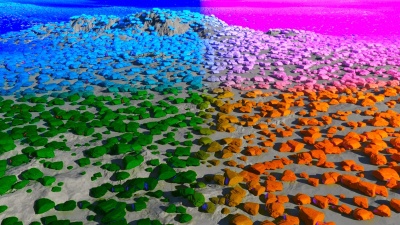
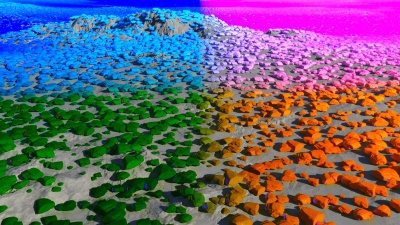
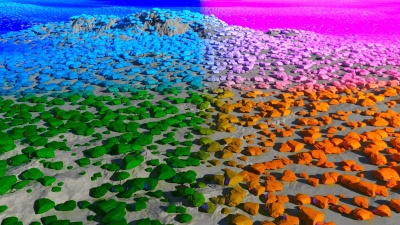
The following example images show how each Choice option can affect the colour of the instanced rocks. The image directly below represents the instanced rocks without any colour modification by the Get Object Vector output.

Anchor point (if instanced): The output value is the location in world space at which the populator places an instanced object.

Position: The output value is the location in world space of the object or instance.

Centre of bounding box: The output value is the location in world space of the centre of the bounding box that surrounds the mesh of the object or instance.

Scale factor (if instanced): The scale factor chosen by the populator when the instance is created. It is based on a random value between the populator’s “Minimum scale” and “Maximum scale” parameter values.

Size of bounding box: The output vector represents the size of the object’s bounding box in world space in the final render. Each XYZ component of the vector corresponds to the XYZ size of the bounding box. This takes into account the vertices of the mesh object, the object reader’s “Scale” parameter values, and the populator’s random value chosen between its “Minimum Scale” and “Maximum Scale” parameters.

Direction: X vector (“Right”), normalized: The output vector represents the final direction of the instanced object based on the rotation value chosen by the populator and the “Rotate” value in the object reader’s transform tab. The scale of the instance object does not affect the output value.

Direction: Y vector (“Up”), normalized: Same as above.

Direction: Z vector (“Forward”), normalized: Same as above.

A vector is a set of three scalars, normally representing X, Y and Z coordinates. It also commonly represents rotation, where the values are pitch, heading and bank.
A single object or device in the node network which generates or modifies data and may accept input data or create output data or both, depending on its function. Nodes usually have their own settings which control the data they create or how they modify data passing through them. Nodes are connected together in a network to perform work in a network-based user interface. In Terragen 2 nodes are connected together to describe a scene.
A parameter is an individual setting in a node parameter view which controls some aspect of the node.
A shader is a program or set of instructions used in 3D computer graphics to determine the final surface properties of an object or image. This can include arbitrarily complex descriptions of light absorption and diffusion, texture mapping, reflection and refraction, shadowing, surface displacement and post-processing effects. In Terragen 2 shaders are used to construct and modify almost every element of a scene.
The bounding box is a box which surrounds (or bounds) an object or shader. This box shows the maximum extents of the item inside it. Sometimes abbreviated as "b-box".
